
Build a Langchain SQL Agent powered by Gemini
The most recent breakthrough on Nature language processing (NLP) leads to large language models (LLM), which serve as artificial intelligence to power many processes that were previously only possible in sci-fi novels. LLM mainly focuses on generating ideas in the form of text, image, video, ie, GenAI. If we consider GenAI as a human brain extension, we can equip it with tools which serve as arms and legs, so it can carry out various actions for us. This is so-called Agentic AI, next big thing in the AI world.
One of examples for Agentic AI is SQL agents.
There are many things you can evaluate by quality, like good or bad, such as customer sentiment based on call center transcripts. But some other questions will involve more precise data calculations, like top 3 products by sale amounts in a given month. Those traditionally are data analyst’s work, or business intelligence in general (BI). Can AI SQL agents replace BI in the near future?
If we break down how we handle the above question in real life.
- You will need to understand business questions.
- Convert understanding into tech requirements. In this case, which database and the table contain sale, product data and based on what time; how to join if they reside in different tables?
- Connect to database and query the tables in SQL
- Get results
People have attempted this previously
https://medium.com/@vladimiralexandrov_71391/how-i-built-an-ai-sql-agent-that-talks-to-mysql-4da32880ff41
His results show that LLM generate SQL is possible when logic is simple but he did not get good results once the logic get complicated or involve join condition. I believe the sticking points are that LLM lack of clear information about database metadata, such as join condition, which table contains what, column data type etc. Langchain is an open source framework that makes it easier for implement LLM related solution. Langchain also helps to generate SQL agents that automatically generate SQL based on natural language input. Internally, it has functions to detect which SQL dialect is and metadata for table and column relationship. It would be interesting to see how I can use Langchain to tackle similar issues.
I will use most code from Langchain quick start. But I actually use different dummy database and Google Gemini LLM as opposed to ChatGPT, so that I can tell if the conclusion still hold true should I change something.
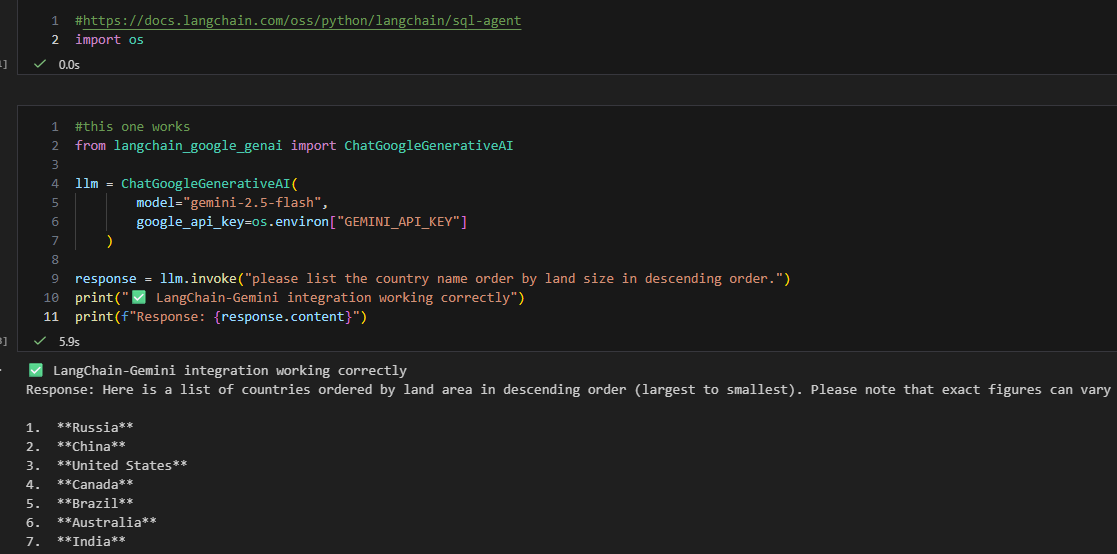
In the second cell, I import necessary functions for google Gemini and create an LLM object. This object can invoke Gemini 2.5 flash. You will need a Gemini API key for this. I use the free tier and you can find info on how to get an API key online. In this case, I saved the API key in the environment variable setting in Windows, so I can use os.environment to retrieve the key value. After that, I use the LLM object to see if it can answer a question. It does give an answer, so LLM works fine. By the way, I think China ranks 3rd place, but AI calculated differently (it does not include inner water surface area like Hudson bay).
I will use the smallest relational database for this. Sqlite is nice for testing since it has small foot print and is file based. Therefore, I don’t need to install anything.
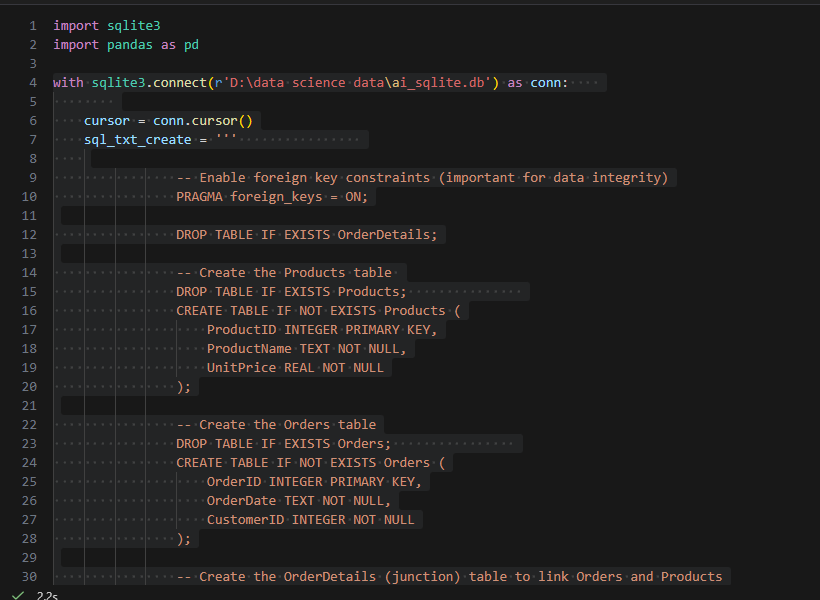
I created a toy database, named it as ai_sqlite db, which contains 3 tables, order, order detail and product.
These three tables were joined by foreign keys and there is a 1:M relationship between order detail tables with others. So, we can test if an SQL agent can handle relations.
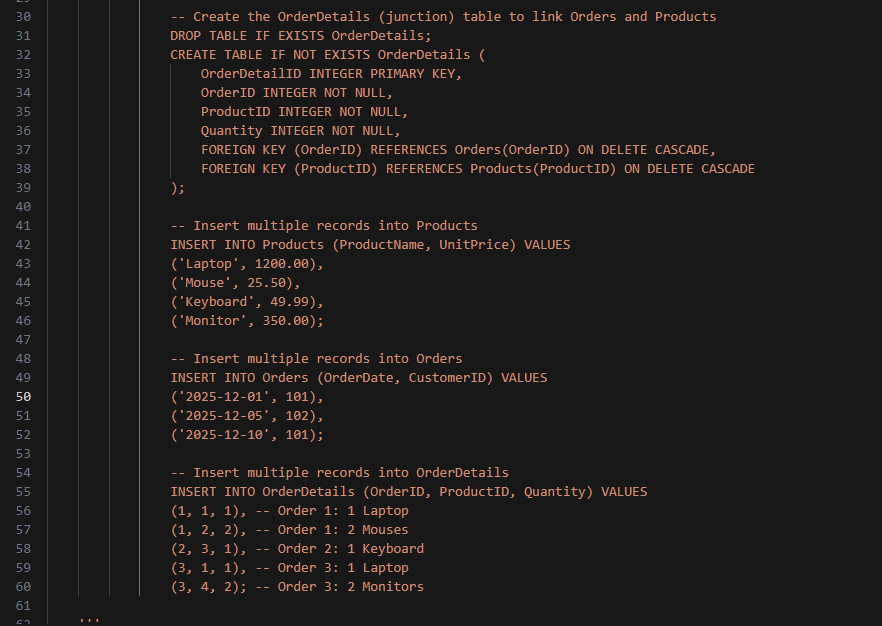
At line 37 and 38, you can see foreign keys are implemented and some dummy data are inserted between line 41 to 60.
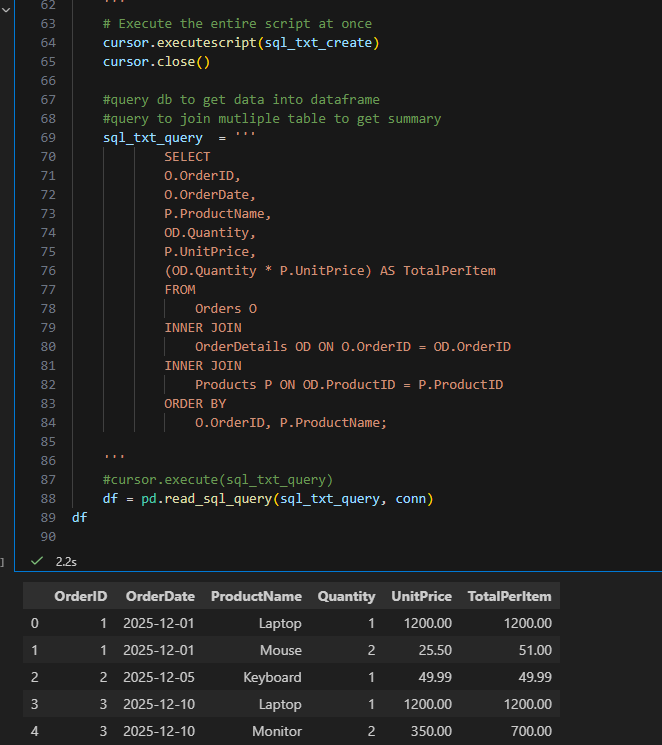
A simple query to test if we can join three tables together to show data in a meaningful way in a dataframe. It works fine so far.
Next step, I leverage langchain package which has function wrappers to interact with databases. Behind the scenes, Langchain can use the functions to recognize database type as Sqlite, table list, and sample table data.
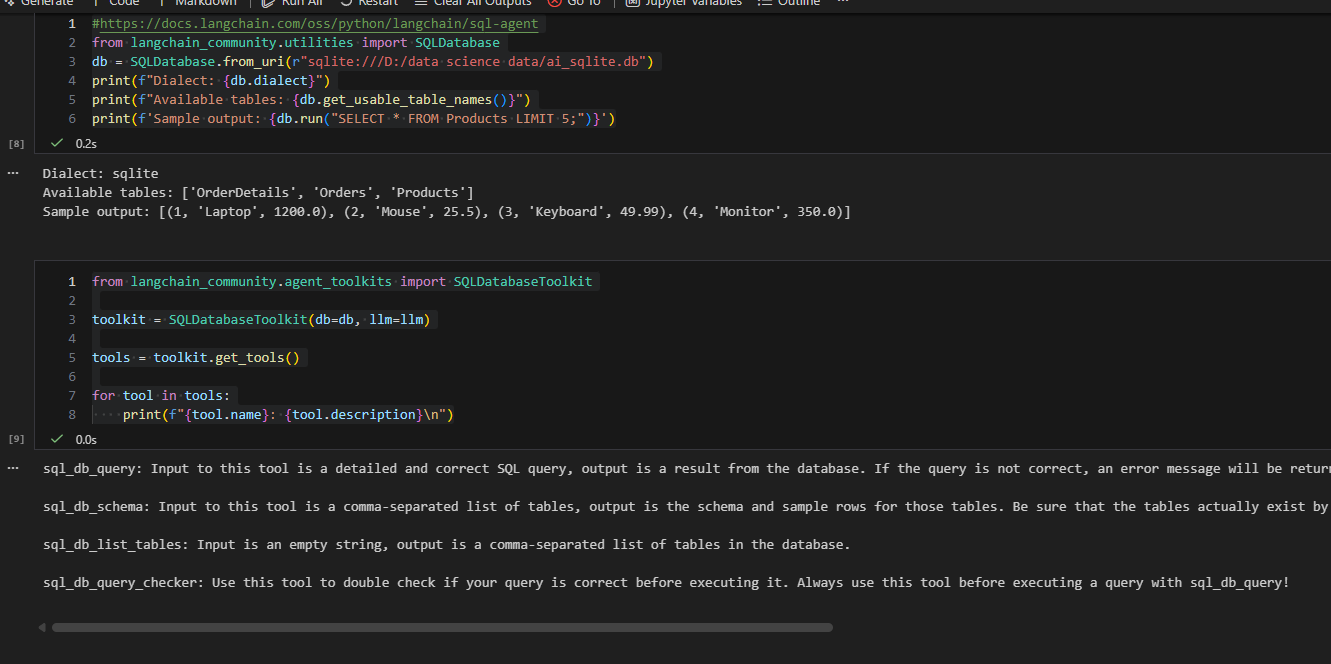
Tools contain a few functions to create SQL and validate SQL, so that means langchain takes care of those potential SQL grammar issues.
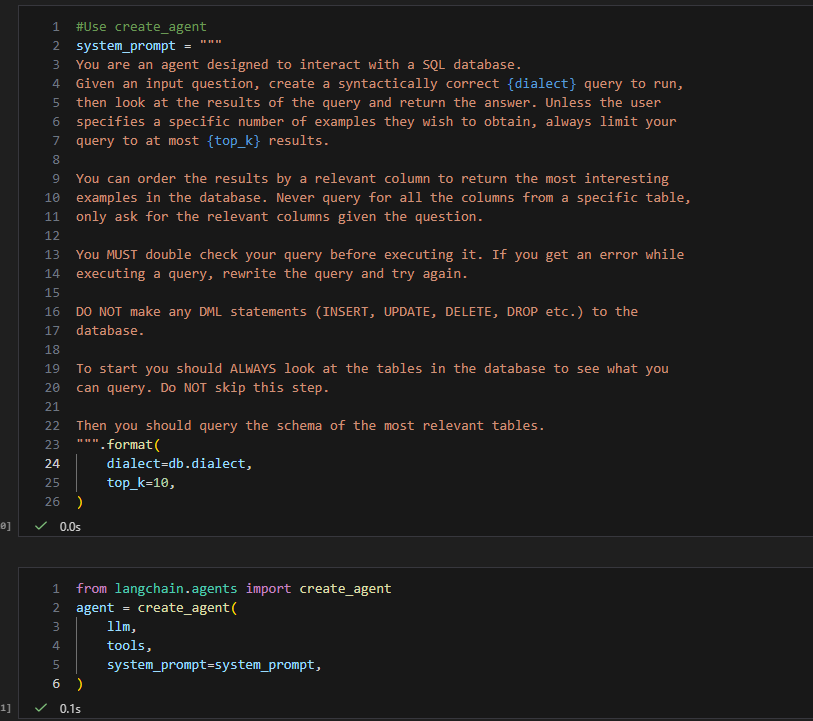
Next, I created a system prompt to gave a ground rule. Inside prompt, I passed in the SQL dialect as sqlite, also passed in the large language model and tools to to create a agent.
We have a SQL agent now. Let us give some challenges to see if it can handle.
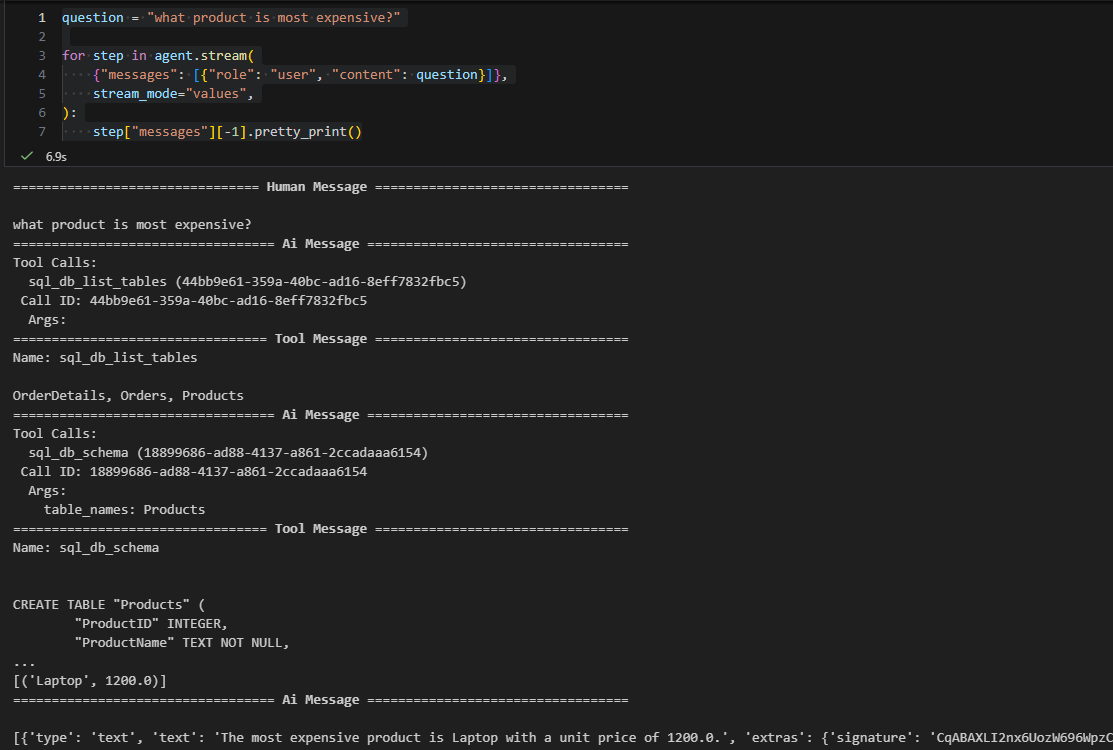
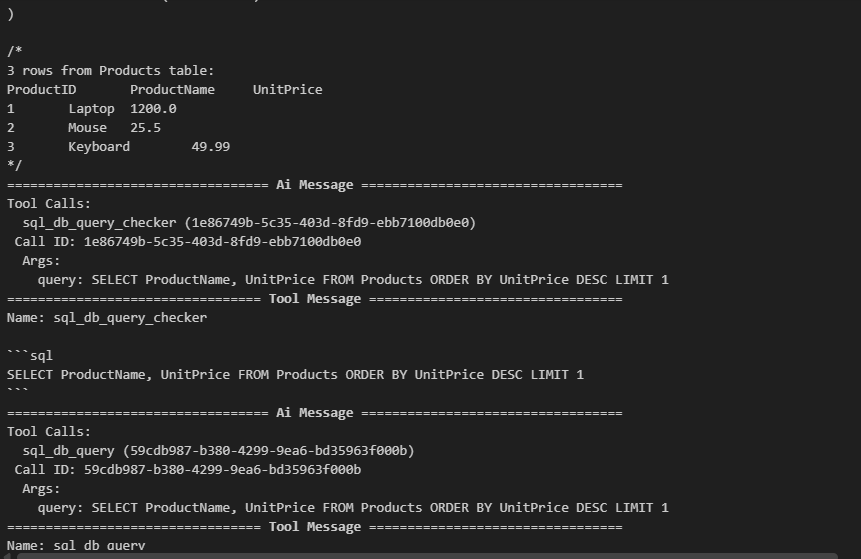
First, I let it pick the most expensive product (a simple one involving only one table). You can go through the log and see how it did it. First it used a tool to list tables, then it found the product table. Next, it checked the columns in the product table. Finally, It found that laptops are the most expensive product.
Next, I asked a more difficult question which involved more than 1 table.
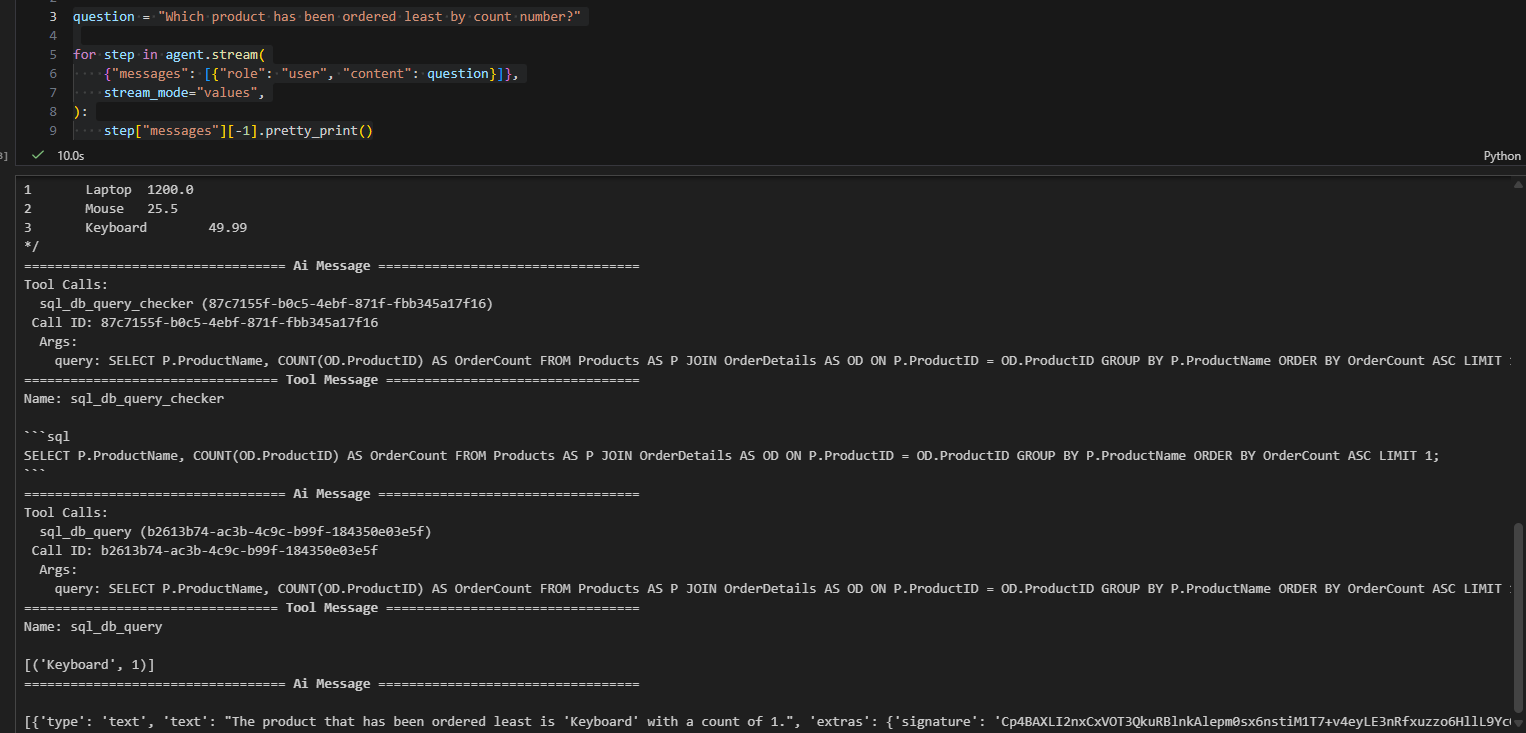
To my surprise, this sql agent handled that very well, you can find it got data by joining between different tables. That is awesome.
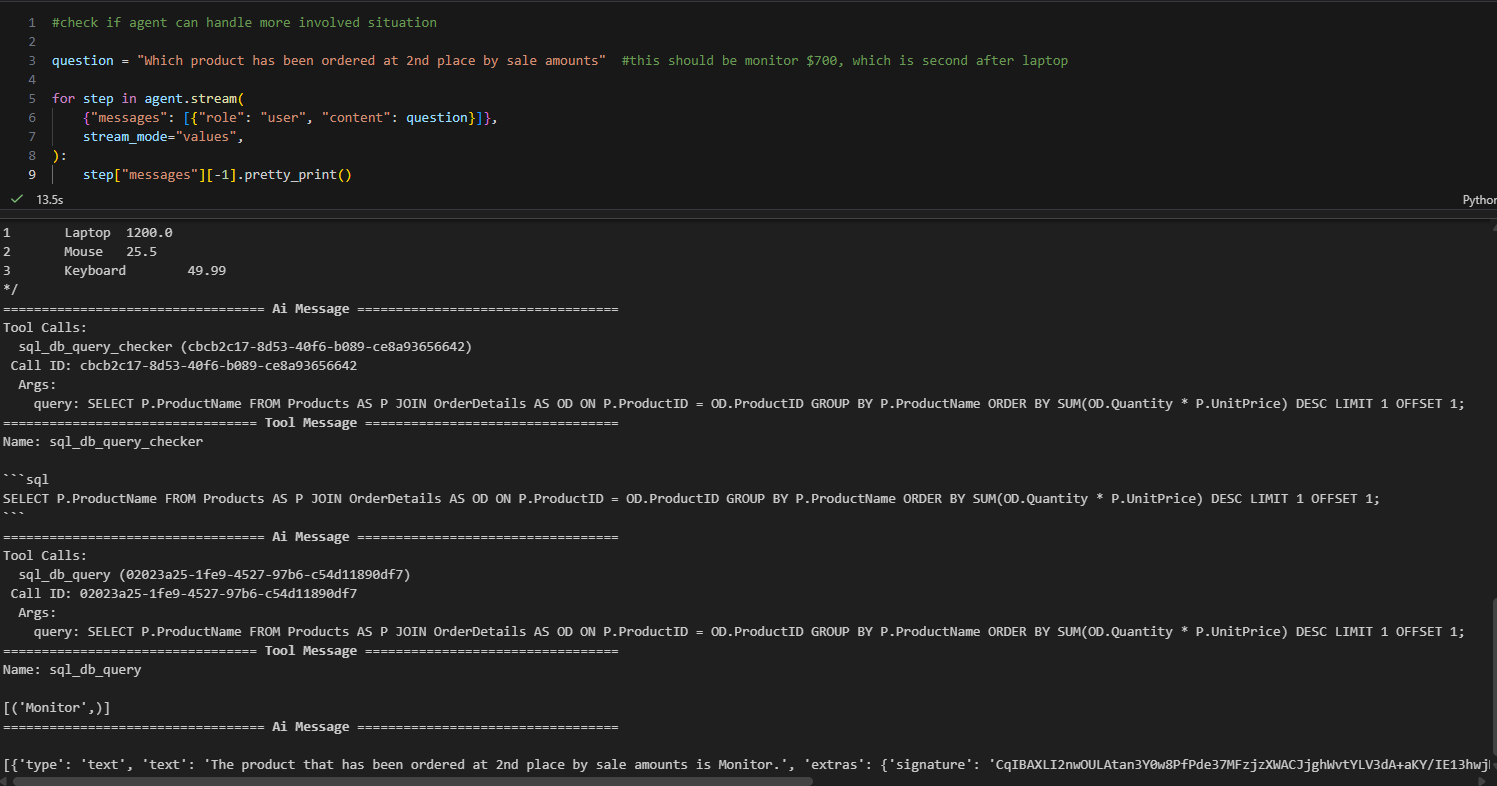
Now, I further increase the difficulties, by asking to get the second highest product by sale amount. As a human, I usually use windows functions, like row_number or rank function to get rank first and filter by rank number. AI, however, does it differently. It uses offset. But the results are the same. So, I am thrilled that this SQL agent really does the work.
Finally, as a person working with numerous databases, I know real life databases sometimes are not straightforward like the toy database I presented here. A lot of time, you need a data dictionary to understand the meaning of a given table and columns. A lot of abbreviations were used for table and column names. Sometimes, database designers even obfuscate the table or column name for security reasons. I want to know if I make table and column names hard to understand, can sql agent handle that?
To do that, I created a separate Sqlite database and instead of using English name, I used Chinese PinYin. I want to see if LLM is using column name to understand what column is for or using the column value to determine what the column is for.
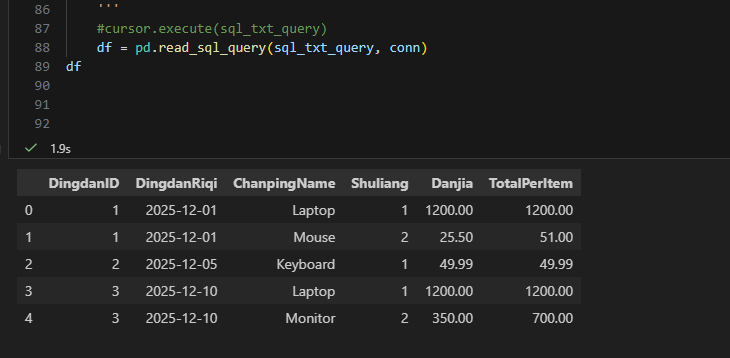
Then I use this database to ask the same question.

This time, it was running into an out of quota error. Likely, it did not understand PinYin and keep send request to LLM and run out of quota. But if I change question to “what ChanpingName is most expensive?”, it can answer the question, ie, laptop. So, the gap is between product and ChanpingName.
My conclusion from this experiments is as follows. I used to be skeptical about AI coding capability since I saw results from google search, half of time which crossed with other topic or scenario (this is getting better though). But this SQL agent does a decent job at the junior level SQL developer. On the other hand, it heavily relys on the metadata. If LLM does not understand your metadata, it cannot come up with correct SQL. Therefore, it is likely data warehouse works better than transactional database because it is more user friendly nature. Or Langchain needs to have a way to pass in the data dictionary so that LLM can decode the table and column name properly with data dictionary’s help.
thanks for following along. Notebook is here
Merry Christmas and Happy New Year!
Wenlei